// wordpress · updates
WordPress 7.2: Everything New and the Official Release Date (2026)
// wordpress · updates
Some time in December your WordPress dashboard will show a new notice: WordPress 7.2 is available. Two questions follow straight away: what is actually new, and should you update right now or wait?
In this guide I’ve pulled together everything new in WordPress 7.2 from the official sources (the beta announcement and the release roadmap on WordPress.org) and sorted it by what matters to you: what really shipped, what got pushed back, and what affects a site built with Elementor or a WooCommerce store.
The short answer: WordPress 7.2 is the last major release of 2026, scheduled for December 8, 2026 at 15:00 UTC. The headlines: a new default theme called Ipsum, a Secrets API that stores API keys encrypted instead of as plain text in the database, Notes moved into the margin with emoji reactions, text shadows, form styling without CSS, and a faster admin. Sudo mode, suggestion mode in Notes and the Table of Contents block did not make it.
According to the official release page, Beta 1 shipped on October 20, which means the feature list is frozen: anything that wasn’t in by then will most likely wait for the next release. Beta 3 arrived early, on October 28, alongside the 7.1.4 security release.
| Date (2026) | Milestone | What it means for you |
|---|---|---|
| October 20 | Beta 1 | Feature freeze, testing begins |
| October 28 | Beta 3 | Shipped early with the 7.1.4 security release |
| November 3 | Beta 4 | Right-to-left fixes and Ipsum refinements |
| November 10 | Beta 5 | Last beta before Release Candidate 1 |
| November 17 | Release Candidate 1 | Near-final build: the best time to test a staging copy of your site |
| December 1 | Release Candidate 3 | Last candidate before launch |
| December 8 | Final release | 15:00 UTC (6 pm in Riyadh) |
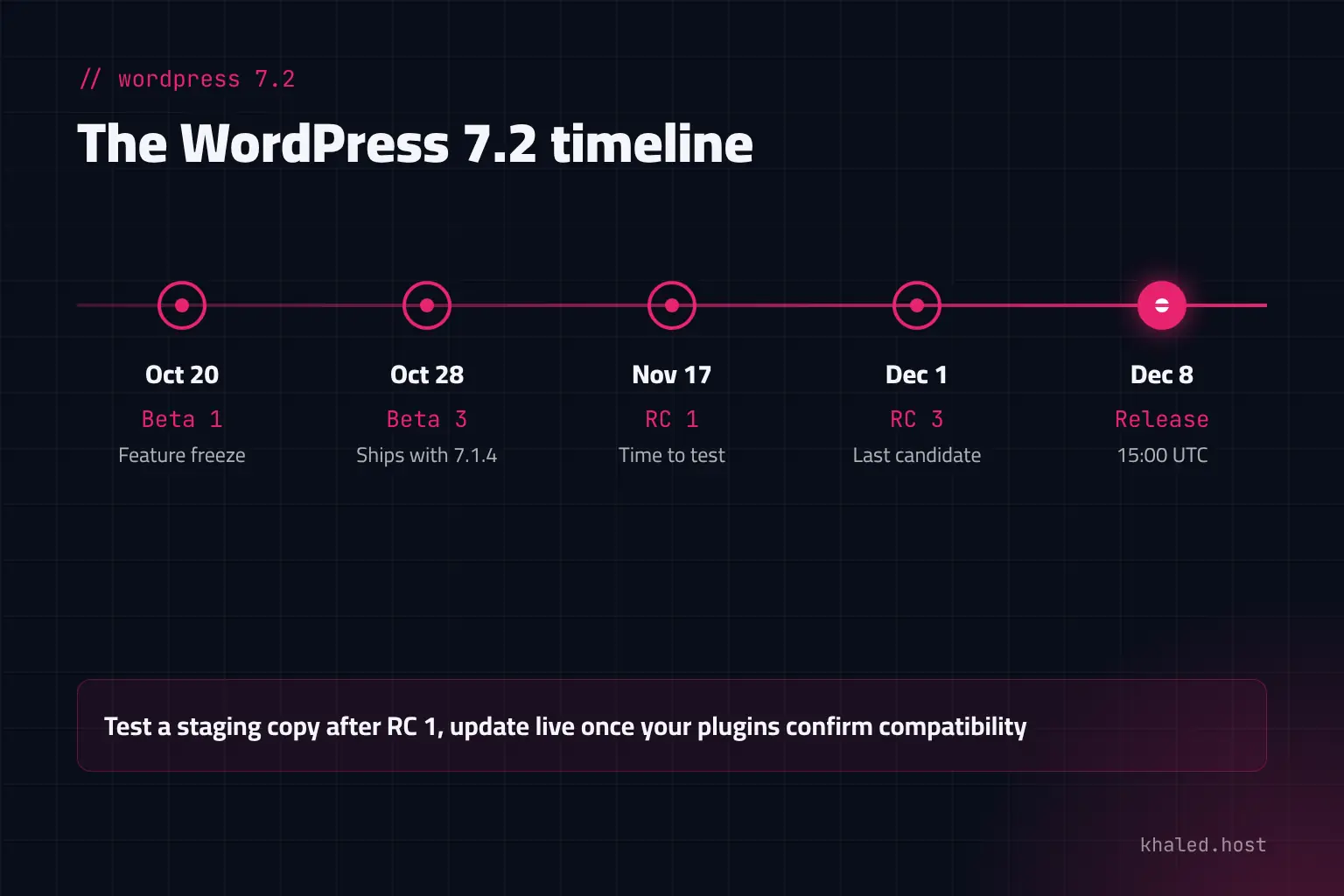
Note: some older articles mention December 9 or 10. The current official schedule fixes the date at December 8, and for the first time the release will be livestreamed instead of launched on stage at an event.
| Feature | Status | Who notices first |
|---|---|---|
| Ipsum default theme | Shipped (v1.0) | Bloggers and new sites |
| Secrets API for encrypted keys | Shipped | Developers and store owners |
| Notes in the margin with reactions | Shipped | Content teams and agencies |
| Text shadow and form styling | Shipped | Designers |
| Faster admin, lighter image uploads | Shipped | Everyone |
| On This Day and /random/ | Shipped | Long-running blogs |
| New abilities for AI tools | Shipped | MCP and AI-agent users |
| Sudo mode, suggestion mode, Table of Contents | Postponed | Details near the end |
Since 2010 every default theme has been named after a year, from Twenty Ten to Twenty Twenty-Five. WordPress 7.2 breaks that tradition: the theme first announced as Twenty Twenty-Seven ships as Ipsum, after the “lorem ipsum” placeholder text that fills a page until the real content arrives.
Ipsum is still in design review, so its templates may change before December 8. Don’t build a production child theme on a beta version.
For anyone running a store or a site connected to outside services, this is in my view the most important feature in WordPress 7.2. Until now, any plugin that needed an API key (a payment gateway, an email service, an ad pixel, an OpenAI key) saved it in the wp_options table as plain text. The official proposal spells out the result: those keys end up in every backup, every staging clone and every database dump.
WordPress 7.2 gives keys an official, encrypted home:
WP_SECRETS_KEY constant in wp-config.php, or is derived from the security keys already in that file. Someone who steals only a copy of the database can’t read the keys.WP_SECRETS_KEY.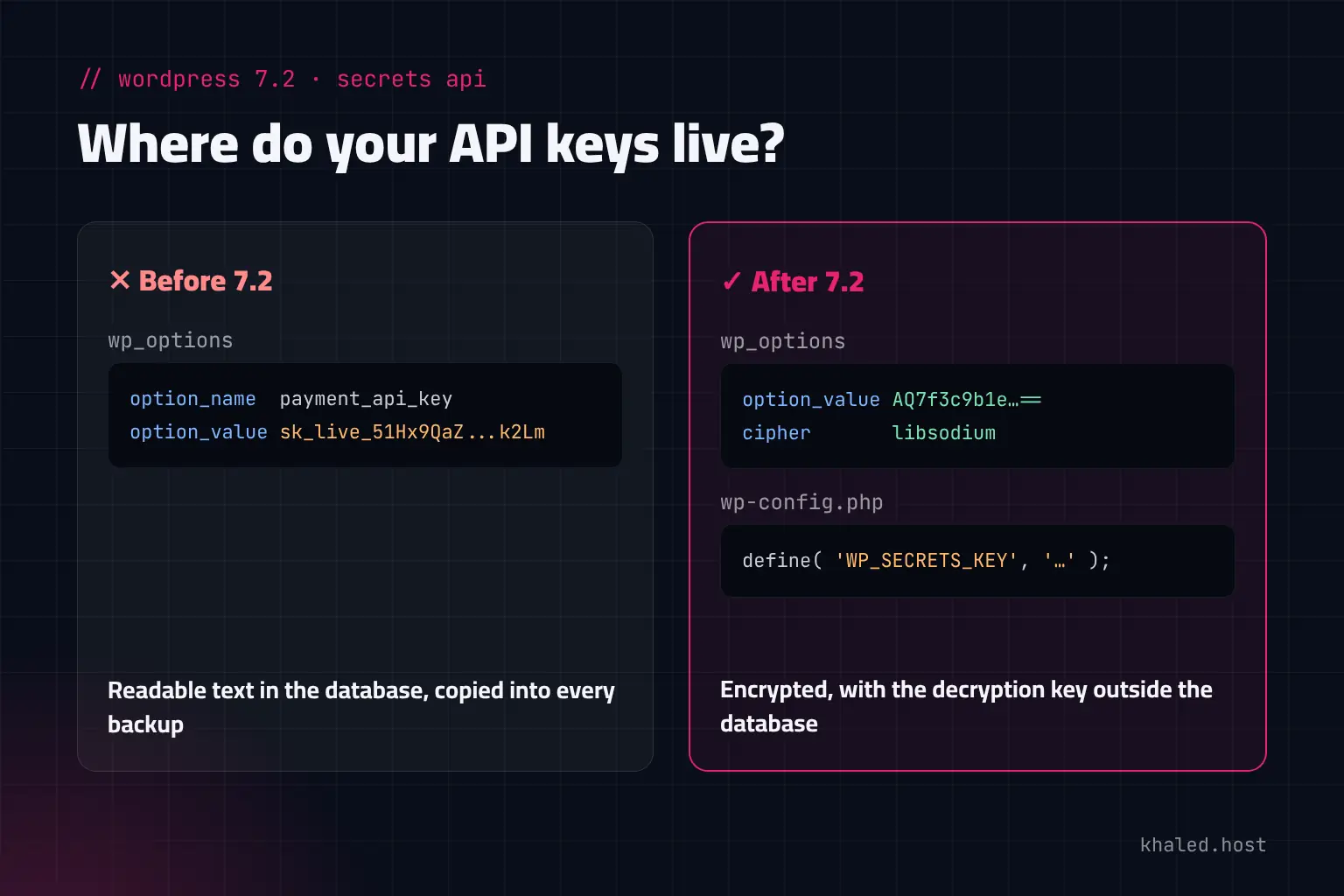
Two caveats: the API won’t protect your existing keys on its own; plugins have to be updated to use it. And any plugin that can run PHP on your site can read any secret, so the API protects you from leaked databases and backups, not from a malicious plugin. The admin screen for managing secrets has been pushed to WordPress 7.3.
Notes, the block-level comments introduced in WordPress 6.9, move into the margin right next to the content in 7.2:
If you work with clients, you can give them a login on a staging copy and let them leave feedback directly on the draft instead of in WhatsApp messages and screenshots. Note that this is part of the block editor (Gutenberg), not the Elementor editor.
theme.json.You won’t see these changes, but you’ll feel them:
load-scripts.php and load-styles.php, WordPress now loads each file on its own so the browser can cache it. It also prefetches the assets of the screen you’re likely to open next, so moving between the dashboard, the post list and the editor feels faster.A practical warning: if a security plugin or firewall rule refers to load-scripts.php by name, check it after updating. And if your front end is slow (not just the admin), the update won’t fix that; see my guide to fixing a slow WordPress site.
The Abilities API is how AI tools learn what they’re allowed to do on your site. WordPress 7.1 registered just three core abilities; 7.2 adds three new read abilities: reading settings, querying users and querying content.
It’s the same foundation Elementor MCP runs on, which I covered in detail in my Elementor MCP guide. The more WordPress exposes, the better tools like Claude can understand your site before changing anything. And for the other direction, making your own site readable to AI agents, see my guide to making WordPress AI-agent-ready. If you are wondering whether AI has changed the platform’s standing, I looked at the numbers in Is WordPress dead? The WordPress era vs AI.
Other developer changes:
data-wp-html directive for rendering trusted HTML, plus events for client-side navigation.Article last updated: November 13, 2026. Beta 4 shipped on November 3 and Beta 5 on November 10, the last beta before Release Candidate 1 on November 17. There are no big new features at this stage, but four additions are worth knowing about:
Both betas also bring accessibility refinements to the admin toolbar and to Ipsum, and tighter permissions for Notes reactions. Source: the Beta 4 and Beta 5 announcements on WordPress.org.
The official roadmap listed more, and said plainly that being on the list doesn’t guarantee a feature ships. Here is what has not appeared in the betas so far:
| Feature | Status |
|---|---|
| Sudo mode (re-enter your password before sensitive actions) | Early work, likely 7.3 |
| Suggestion mode in Notes | Postponed |
| Table of Contents block | Still experimental in the Gutenberg plugin |
| Description List block | Not in the betas |
| Email alert when an application password is added | On the roadmap, not yet confirmed in official announcements |
| Real-time collaboration | Out of 7.2 entirely; being redesigned |
| React 19 upgrade | Unlikely for 7.2 |
| Secrets management screen | Deferred to 7.3 |
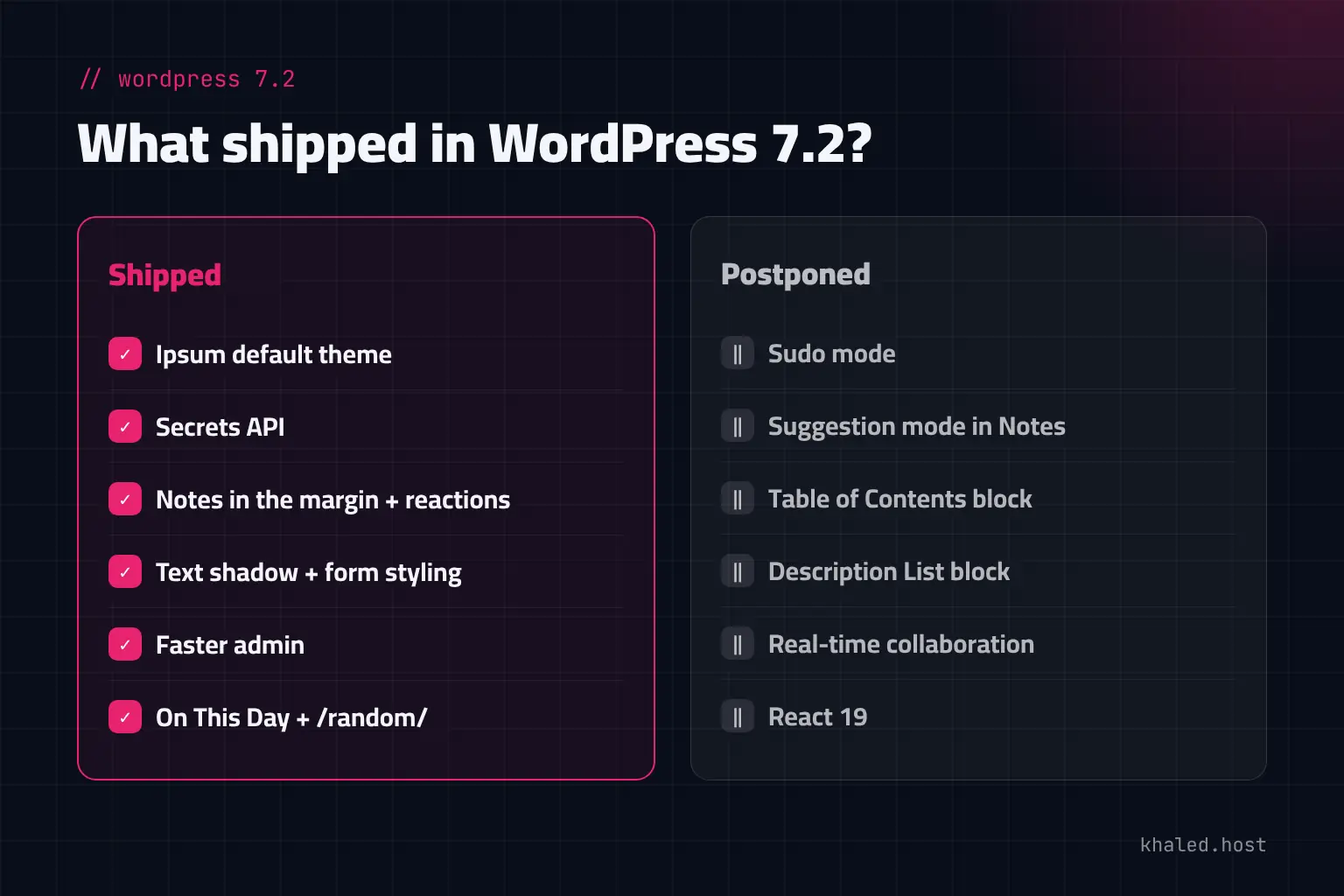
If you read an article saying 7.2 includes a Table of Contents block or sudo mode, it was most likely written before Beta 1.
My practical advice:
Since most sites in the Saudi market are built with Elementor, keep this in mind: most of the new design tools belong to the block editor and won’t show up inside Elementor. What will actually affect you is the change in how admin assets load, and the Secrets API once your plugins start using it.
If your site is built with Elementor 4, remember that the Atomic Editor requires WordPress 6.8 or newer, and see what is still missing from Elementor Atomic before you update.
When will WordPress 7.2 be released?
On December 8, 2026 at 15:00 UTC (6 pm in Riyadh). Release Candidate 1 is due on November 17.
What’s new in WordPress 7.2?
The Ipsum default theme, the Secrets API for encrypted API keys, Notes in the margin with reactions, text shadows, form styling in Global Styles, a faster admin, browser-side image processing and the On This Day section.
Will WordPress 7.2 change my theme?
No. Ipsum is only activated on new installs; your site keeps its current theme.
Does WordPress 7.2 include a Table of Contents block?
No. The Table of Contents and Description List blocks were on the roadmap but did not make it into the betas.
What is the Secrets API in WordPress 7.2?
An official way for plugins to store API keys and tokens encrypted, using a key kept in wp-config.php rather than the database, so a leaked database or backup doesn’t expose them.
Should I update to WordPress 7.2 on day one?
Test on a staging copy first and wait a few days to two weeks until your key plugins confirm compatibility. Security releases should be installed right away.
What PHP version does WordPress 7.2 need?
PHP 7.4 at minimum; PHP 8.3 or newer is recommended.
WordPress 7.2 isn’t a flashy release, but it matters a lot for security and performance. The Secrets API closes a years-old gap in how keys are stored, the admin gets faster, and content teams finally have a real review tool inside WordPress. Plan the update calmly: test after November 17, then update the live site once your plugins confirm compatibility.
Before you update your site or start a new project, read WordPress vs custom coding to see when WordPress is enough, when custom code pays off, and roughly what each costs.
Want someone to test your site or store on WordPress 7.2 and update it safely, or need fast pages built for the Saudi market? See my landing page design and Figma to WordPress services, or start your project directly on WhatsApp.