// WORDPRESS VS CUSTOM CODE
WordPress vs Custom Coding: The Truth Your Developer Won't Tell You
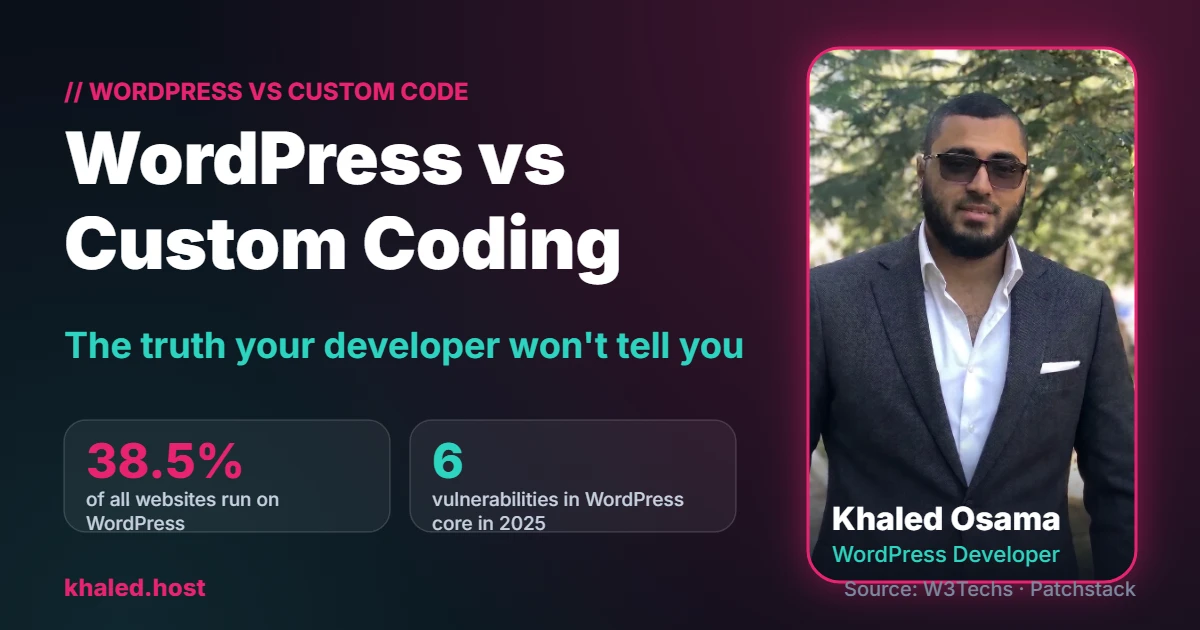
// WORDPRESS VS CUSTOM CODE
One question comes up almost every week: should I build my website on WordPress, or pay a developer to code it from scratch? From each side you will hear that their choice is the best, because each side sells what it does well. As a WordPress developer, I will say it plainly before you read on: I will not claim WordPress fits everything. In this article on WordPress vs custom coding I put the numbers on the table: market share, cost and security. Then I tell you when to choose each path.
I relied on W3Techs data from November 17, 2026, Patchstack’s 2026 security report and published cost estimates. I give the source of every figure and keep what the numbers say separate from my own opinion.
The short answer: WordPress is the best fit for most projects (business sites, services, blogs, stores and landing pages), and custom coding is worth its price only when your project is a platform or an app with complex logic. Often the smartest option is the hybrid approach: start with WordPress and customize only what deserves it. As for security, the real risk is the plugins you install, not WordPress itself.
W3Techs publishes each content management system’s share of the sites it tracks. According to its official overview on November 17, 2026:
| Platform | Share of all websites |
|---|---|
| WordPress | 38.5% |
| Shopify | 5.5% |
| Wix | 4.2% |
| Squarespace | 2.4% |
| No known CMS | 33.0% |
The last group includes hand-coded sites and anything W3Techs cannot classify, so about a third of the web is not on a known CMS, which means custom coding is far from a marginal choice. But WordPress alone runs more than a third of websites, and that also means its tools, plugins and developers are plentiful, which is a real advantage when you need maintenance.
WordPress itself is free. The cost is in design, hosting, plugins and developer hours. Published 2026 estimates (KrishaWeb for WordPress and ProjectCostEstimator for custom coding) give these ranges in US dollars:
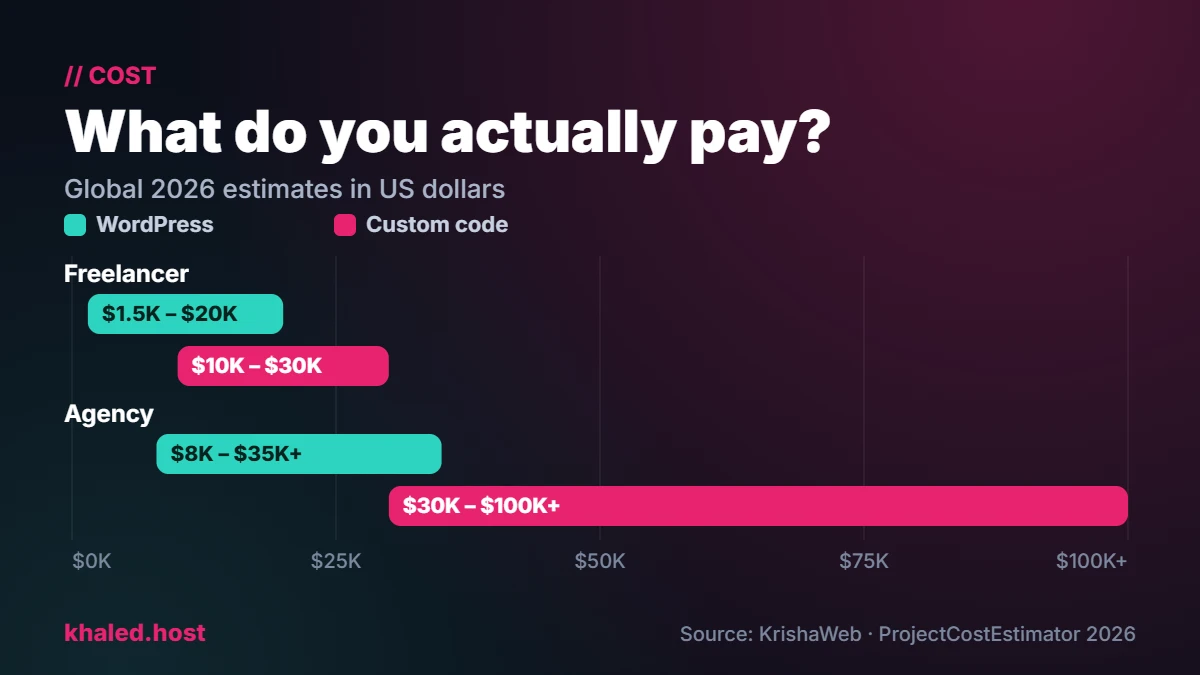
| Who builds it | WordPress | Custom code |
|---|---|---|
| Freelancer | $1,500 – $20,000 | $10,000 – $30,000 |
| Agency | $8,000 – $35,000+ | $30,000 – $100,000+ |
Note that these are broad ranges that vary a lot by market and requirements, not a quote. But the direction is clear: custom coding usually costs several times what WordPress does, and the cost continues after launch because you are responsible for every update and fix, whereas WordPress and its plugins spread maintenance across a huge community.
This is the point most often used to scare you away from WordPress. Let’s read the numbers as published in Patchstack’s State of WordPress Security 2026, which covers 2025 data:
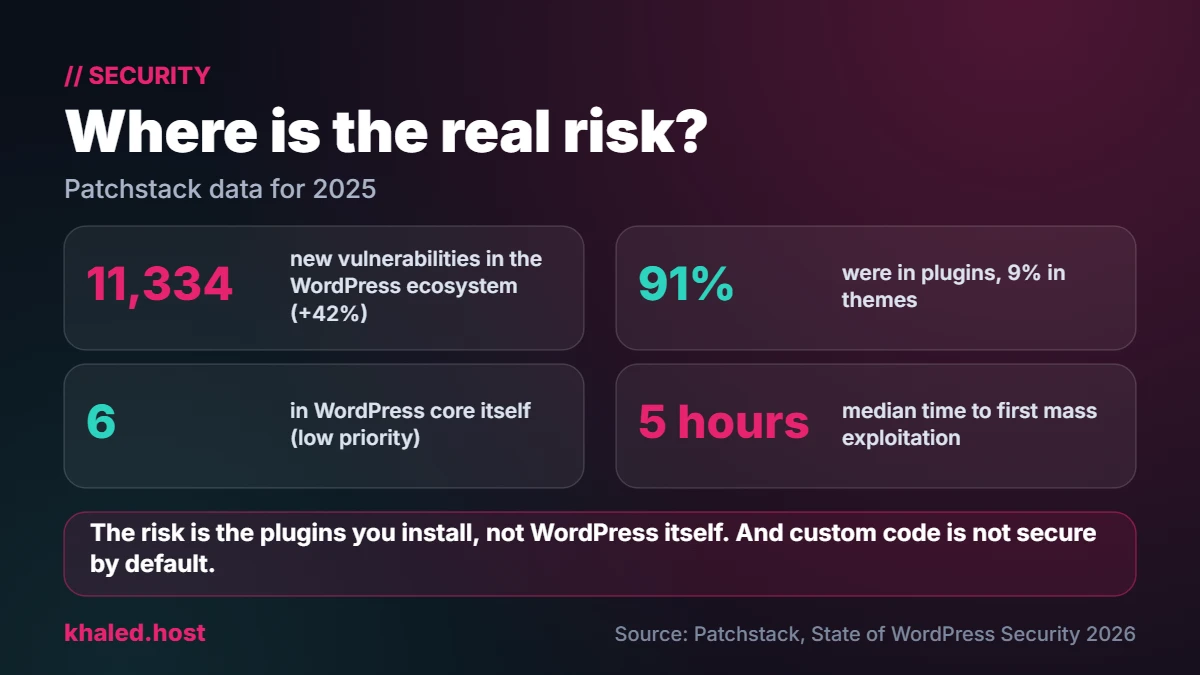
The honest reading of WordPress vs custom coding on security: WordPress core is among the most scrutinized software there is, and the problem lies in abandoned and pirated plugins that people install without review. In my opinion, custom code is not secure by default: it carries its own vulnerabilities and only your team reviews it. In both cases security comes from discipline: few, trusted plugins, regular updates, limited permissions and backups.
This WordPress vs custom coding comparison is based on my hands-on experience, not a published statistic:
| Factor | WordPress | Custom code |
|---|---|---|
| Launch speed | Often a few weeks | Often months |
| Editing content yourself | Easy from the dashboard | Needs a dashboard built for you, or a developer |
| SEO | Ready-made tools (such as Rank Math) | You build it all from scratch |
| Flexibility in special cases | Good with plugins, harder with unusual logic | Complete |
| Dependence on one person | Low, since developers are plentiful | High, since only the author knows the code |
| Ownership | You own the content and data | You own everything |
And if your site is slow, the problem is usually in the setup, not in WordPress. I explained that in why a WordPress site is slow and how to fix it.
Use this checklist as your criterion instead of enthusiasm or fear:
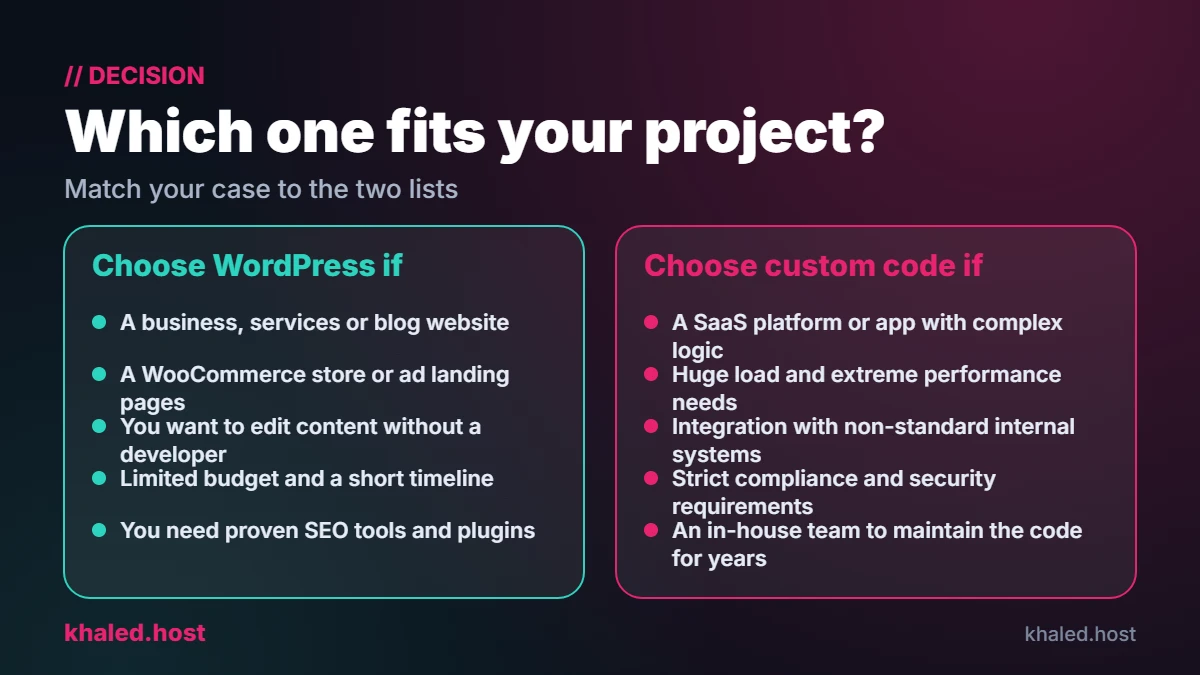
Choose WordPress if: yours is a business, services or blog site, a WooCommerce store or ad landing pages, you want to edit content yourself, your budget and time are limited, and you need proven SEO tools and plugins.
Choose custom code if: your project is a SaaS platform or an app with complex business logic, needs exceptional performance under heavy load, integrates with non-standard internal systems, has strict compliance and security requirements, and you have a team that maintains the code for years.
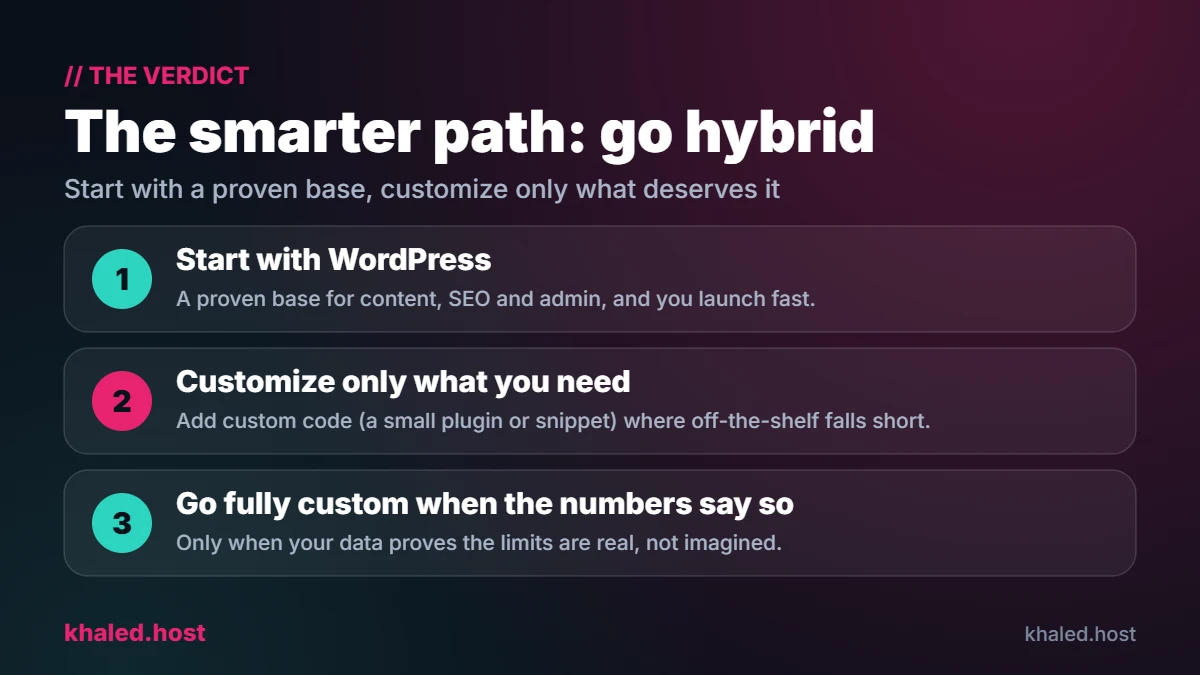
The choice is not black and white. The best I see in client projects is to start with a proven base and customize only what deserves it:
This is what I do on my own sites: I run WordPress with AI through MCP and add custom code where needed, as I explained in the Easy MCP AI guide. And if you wonder about the platform’s future in the age of AI, read Is WordPress dead? and what is new in WordPress 7.2.
Is WordPress better than custom coding?
For most business sites, service sites, blogs, WooCommerce stores and landing pages, yes: it is cheaper, faster to launch, easier to edit and comes with proven SEO and integration plugins. For complex platforms (SaaS, apps with custom business logic, huge loads), custom coding fits better. The right choice depends on the project, not on which one is better in general.
How much does a WordPress site cost compared with a custom-coded one?
Global 2026 estimates put a WordPress site at roughly $1,500 to $20,000 with a freelancer and $8,000 to $35,000 or more with an agency, while custom coding starts at roughly $10,000 to $30,000 with a freelancer and $30,000 to $100,000 or more with an agency. These are rough ranges and vary by market and requirements.
Is custom coding more secure than WordPress?
Not automatically. Patchstack’s 2026 report counted 11,334 new vulnerabilities in the WordPress ecosystem in 2025, 91% in plugins, 9% in themes and only 6 in WordPress core. So the biggest risk is the plugins you install. Custom code can carry its own vulnerabilities, and it is not reviewed by thousands of researchers the way core is.
When is custom coding the right choice?
When your project is a SaaS platform or an app with complex business logic, needs exceptional performance under heavy load, integrates with non-standard internal systems, or has strict compliance and security requirements, and you have a team that can maintain the code for years.
Can I start with WordPress and move to custom code later?
Yes, and it is one of the smartest paths: start with WordPress to test your idea and win customers fast, add custom code where off-the-shelf falls short, and go fully custom only when your data proves the limits are real. That way you do not pay to build everything from scratch before you know what you need.
Does AI make custom coding cheaper than WordPress?
It may shorten the time spent writing code, but it does not remove design, testing, security review and ongoing maintenance, which is where most of a custom site’s cost goes. In my view AI helps both routes: it speeds up WordPress and speeds up custom code, and it does not change the rule that proven off-the-shelf is cheaper for most projects.
In WordPress vs custom coding there is no absolute winner, only the project that fits each option. WordPress wins most business projects on cost, speed and ecosystem, and custom code wins when your product is the software itself. If in doubt, start with WordPress and customize where needed, and do not pay several times the price before the numbers prove you need to.
Want a fast site, ready for SEO? See my landing page design and Figma to WordPress services, or start your project directly on WhatsApp.
Sources: W3Techs: Content management systems · Patchstack: State of WordPress Security in 2026 · KrishaWeb: WordPress Website Cost 2026. W3Techs figures as of November 17, 2026; cost ranges are estimates.